Sunday, March 31, 2013

Blog Post #10
I'm a Papermate. I'm a Ticonderoga.

After viewing Mr. Spencer's comic I had to read the comments to fully understand its humor. At first I thought the comic just referred to many of life's situations where we take the cheaper, faster route which eventually fails. After reading the comments I realized I was not too far from the actual meaning. In this comic Mr. Spencer is mocking the Mac vs. PC commercials. Macs cost more, but tend to have less problems, headache, and last longer (Ticonderoga). The PC (Papermate) seems to be the more economical purchase but may not be in the long run.
Why Were Your Kids Playing Games?
In Mr. Steven's post he shares the details of one of his trips to the principals office. He describes how the principal accused him of playing games in the classroom. Mr. Stevens tried to explain that the game they were playing was educational, and helpful to the students. He then explained that the "game" was actually an advanced simulation where the students made a mock factory. The principal still said no. Then Mr. Stevens also pointed out that soldiers and surgeons uses games and simulations as part of their education. The principal told Mr. Stevens this is not a hospital or war. Mr. Stevens then renamed his game to reflect a writing project, but it would actually be the factory game. Sometimes "game" may not be the best word choice for certain principals and administrators! We tend to associate game with tic-tac-toe or a board game, as Mr. Stevens pointed out. That is not what he was using in the classroom. Is practicing real life scenario considered playing a game? Is that wrong? I feel like these "games" are where students obtain the most knowledge for life and their future career. Simulation is used in drivers ed. classrooms to practice driving scenarios all of the time. I don't see how our future career would be any different.
Remember Pencil Quests?
In this post Mr. Stevens describes his "pencil quests" adventures that were so exciting to him as a student. They had a map of websites and a list of questions for each site. As he looks back he realizes how far we have come with technology. Something that seemed so exciting and new to him may not even be used in future classrooms. I can definitely relate to this post. I remember as a young student going to the computer lab on the old apple computers to play Oregon Trail, or in high school having internet worksheets. My students will probably never play Oregon Trail, or get excited about internet worksheets once a month. As a teacher I will be a part of all of these phases, and I can not wait.
Don't Teach Your Kids This Stuff. Please?
I was a little confused at first while reading Mr. McLeod's post but it all made sense in the last few lines! Mr. Scott McLeod is "widely recognized as one of the nation’s leading academic experts on K-12 school technology leadership issues." He currently serves as the Director of Innovation for Prairie Lakes Area Education Agency 8. He also co-created the country’s first graduate program designed to prepare technology-savvy school leaders. In his post he asks teachers, parents, and everyone involved in the school systems to not use technology in the classroom. He asks why we would ever need these things. He pleads us to not use blogs, PLNs, twitter. Most definitely do not allow cell phones. Don't use technology in the classroom, because he IS. He wants to prove his point that technology in the classroom helps tremendously. We will see in the long run who is more prepared, and it will be the teachers who took advantage of these resources. I completely agree with Mr. McLeod. I would love to be the one who proves to some of these stubborn people how valuable technology can be in the classroom. They would soon realize that he is the better educator, and his students are far more prepared. So my advice for teachers is DO. Do utilize these resources, and don't be the teacher who rejects change. For more information on Mr. McLeod visit his About Me page.

After viewing Mr. Spencer's comic I had to read the comments to fully understand its humor. At first I thought the comic just referred to many of life's situations where we take the cheaper, faster route which eventually fails. After reading the comments I realized I was not too far from the actual meaning. In this comic Mr. Spencer is mocking the Mac vs. PC commercials. Macs cost more, but tend to have less problems, headache, and last longer (Ticonderoga). The PC (Papermate) seems to be the more economical purchase but may not be in the long run.
Why Were Your Kids Playing Games?
In Mr. Steven's post he shares the details of one of his trips to the principals office. He describes how the principal accused him of playing games in the classroom. Mr. Stevens tried to explain that the game they were playing was educational, and helpful to the students. He then explained that the "game" was actually an advanced simulation where the students made a mock factory. The principal still said no. Then Mr. Stevens also pointed out that soldiers and surgeons uses games and simulations as part of their education. The principal told Mr. Stevens this is not a hospital or war. Mr. Stevens then renamed his game to reflect a writing project, but it would actually be the factory game. Sometimes "game" may not be the best word choice for certain principals and administrators! We tend to associate game with tic-tac-toe or a board game, as Mr. Stevens pointed out. That is not what he was using in the classroom. Is practicing real life scenario considered playing a game? Is that wrong? I feel like these "games" are where students obtain the most knowledge for life and their future career. Simulation is used in drivers ed. classrooms to practice driving scenarios all of the time. I don't see how our future career would be any different.
Remember Pencil Quests?
In this post Mr. Stevens describes his "pencil quests" adventures that were so exciting to him as a student. They had a map of websites and a list of questions for each site. As he looks back he realizes how far we have come with technology. Something that seemed so exciting and new to him may not even be used in future classrooms. I can definitely relate to this post. I remember as a young student going to the computer lab on the old apple computers to play Oregon Trail, or in high school having internet worksheets. My students will probably never play Oregon Trail, or get excited about internet worksheets once a month. As a teacher I will be a part of all of these phases, and I can not wait.
Don't Teach Your Kids This Stuff. Please?
I was a little confused at first while reading Mr. McLeod's post but it all made sense in the last few lines! Mr. Scott McLeod is "widely recognized as one of the nation’s leading academic experts on K-12 school technology leadership issues." He currently serves as the Director of Innovation for Prairie Lakes Area Education Agency 8. He also co-created the country’s first graduate program designed to prepare technology-savvy school leaders. In his post he asks teachers, parents, and everyone involved in the school systems to not use technology in the classroom. He asks why we would ever need these things. He pleads us to not use blogs, PLNs, twitter. Most definitely do not allow cell phones. Don't use technology in the classroom, because he IS. He wants to prove his point that technology in the classroom helps tremendously. We will see in the long run who is more prepared, and it will be the teachers who took advantage of these resources. I completely agree with Mr. McLeod. I would love to be the one who proves to some of these stubborn people how valuable technology can be in the classroom. They would soon realize that he is the better educator, and his students are far more prepared. So my advice for teachers is DO. Do utilize these resources, and don't be the teacher who rejects change. For more information on Mr. McLeod visit his About Me page.
Sunday, March 24, 2013
Blog Post #9
Mr. McClung's What I Learned This Year- Volume 4
 For four years now Mr. McClung has written an end of the year reflective blog post. In What I Learned This Year-Volume 4 he describes his fourth year of teaching and the challenges he had to overcome. Mr. McClung felt that he was becoming too concerned with his peers opinion of himself. He soon realized that he should only worry about his students. They are the ones he needs to take care of. I feel that every new teacher will struggle with this at some point. I can't believe Mr. McClung is just now struggling with this in his fourth year. I feel it is very difficult especially as a student teacher to get in front of the class to present a lesson and focus solely on the students and not the adults who are judging you. We are here for the kids, and we're doing them an injustice if they do not have our full attention. I read blog post sometimes and think to myself "this advice is going to be crucial for my future teaching career." Well this is one of those post! My purpose in life is to be the best educator I can be. I need to stay true to myself and my beliefs. Sure it will be difficult teaching in front of other educators, but I will be focused on the students, and that is where my attention should be.
In the second part of his post he writes about challenging yourself. Mr. McClung was teaching the same subject with same lesson plans and it was starting to become a routine. He was becoming comfortable with just continuing to re-use the same lesson plans. He was offered to teach a more challenging subject and gladly accepted! As an educator I know I will sometimes have to take the road less traveled. How will I continue to learn if I don't?
What I've Learned This Year 2009
This was Mr. McClung's first "What I've Learned" blog post that he wrote following his first year of teaching. After reading this post the first thing that stood out was the section about being flexible. He explains that lessons are never perfect, and that they will rarely, if ever, turn out the way we originally planned. He also talks about communicating, and being reasonable. Sometimes we need to be reminded that we are teaching children. Lastly but not least he tells us to not be afraid of technology and to continue learning. I agree with Mr. McClung's views and plan to embrace the changes I may be presented with in life and my career.
 For four years now Mr. McClung has written an end of the year reflective blog post. In What I Learned This Year-Volume 4 he describes his fourth year of teaching and the challenges he had to overcome. Mr. McClung felt that he was becoming too concerned with his peers opinion of himself. He soon realized that he should only worry about his students. They are the ones he needs to take care of. I feel that every new teacher will struggle with this at some point. I can't believe Mr. McClung is just now struggling with this in his fourth year. I feel it is very difficult especially as a student teacher to get in front of the class to present a lesson and focus solely on the students and not the adults who are judging you. We are here for the kids, and we're doing them an injustice if they do not have our full attention. I read blog post sometimes and think to myself "this advice is going to be crucial for my future teaching career." Well this is one of those post! My purpose in life is to be the best educator I can be. I need to stay true to myself and my beliefs. Sure it will be difficult teaching in front of other educators, but I will be focused on the students, and that is where my attention should be.
In the second part of his post he writes about challenging yourself. Mr. McClung was teaching the same subject with same lesson plans and it was starting to become a routine. He was becoming comfortable with just continuing to re-use the same lesson plans. He was offered to teach a more challenging subject and gladly accepted! As an educator I know I will sometimes have to take the road less traveled. How will I continue to learn if I don't?
What I've Learned This Year 2009
This was Mr. McClung's first "What I've Learned" blog post that he wrote following his first year of teaching. After reading this post the first thing that stood out was the section about being flexible. He explains that lessons are never perfect, and that they will rarely, if ever, turn out the way we originally planned. He also talks about communicating, and being reasonable. Sometimes we need to be reminded that we are teaching children. Lastly but not least he tells us to not be afraid of technology and to continue learning. I agree with Mr. McClung's views and plan to embrace the changes I may be presented with in life and my career.
Sunday, March 10, 2013
Blog Post #8
Richard Miller: This is How We Dream
In Dr. Miller's videos he talks about the change in writing and communication that has happened through the use of technology. This blog post is an example of how different writing is now versus 20 years ago when an assignment would have been submitted on pen and paper. In his video he explains how his dream for his career revolved around books. He eventually wrote his own academic book, and it is now out of print. Since writing that book his way of doing research has changed drastically.
Dr. Miller's work tools changed from books, pen, and paper to just his laptop. This change has happened for almost everyone. Researching and writing can be done from almost anywhere. I can use my tablet, laptop and even phone. Virtual books are becoming more common also, and can be taken everywhere with you. They do not have to stay in a classroom or library. I think these changes are absolutely amazing. In the past I would have to drive to different libraries for different books, or information. Now I am able to access libraries online that provide research, journals, and online books. There are also so many different websites and tools to use straight from my desktop as Dr. Miller says.
In the second part of his video he talks about how this digital environment provides a whole audio and visual experience versus just obtaining the information. Dr. Miller believes that as educators "we are in the business of sharing ideas freely." As a future educator I have found many online lectures and resources all over the web to help my career. He feels that there will be a time when students do not even use word processor as a writing tool. I am excited for these changes. I remember hand writing papers and submitting them in class. That will almost be non-existent soon.
Carly Pugh: Blog Post #12

Wow. What an inspiring blog post. It was obvious that Carly really wants to be the best educator she can be. This post did not seem like it was a chore, but much more of an amazing experience for her. I learned so much from reading this post. It provides videos and writing prompts that I could utilize in my future classroom. Making a "playlist" is and amazing idea! My educational videos would organized all in one spot. This assignment combines personality, creativity, and technology. I think this is a definite example of Dr. Miller's ideas of writing with multi-media.
EDM 310 is Different
The Chipper Series
This video shows the importance of school and EDM 310. Success in school in school is imperative for success in your career. Chipper does not take school seriously, and as a result she does not take life seriously. Missing deadlines may seem like no big deal now, but it may cause you to be terminated from your job in the future. Work hard, follow directions, make deadlines, and give it your all and you will succeed in college. Through working hard in school you learn life lessons to help you in you r future career. I think this is a great idea for a video. I think it would be helpful for all students, even those in high school considering college.
EDM 310 for Dummies
 This video should be required at the begining of the semester! At first EDM 310 was completely overwhelming. In this video we see two students make the same struggle that all of us have at some point this semester. This class has definitely made me stressed at one point, but it was well worth it in the end. I have already learned so much that will help me now as a student, and in the future as a teacher. These students show that they were struggling, and they freaked out. The two students received help through EDM 310 for dummies. It made the class much more enjoyable and they were actually able to utilize the tools they were learning for other classes. The message in this video is to get help if you need it. In life we should never be afraid to ask for help. I would rather ask and know that I am doing something the correct way versus always doing something the wrong way.
Learn to Change, Change to Learn
This video shows the lack of technology that is being utilized in today's classrooms. The video states: "The US Department of Commerce ranked fifty-five industry sectors by their level of IT intensiveness. Education was ranked number 55, the lowest, below coal mining." Students use social networking and other tools to communicate and learn, but yet that is taken away from them in the classroom. One woman in the video says that, "we have a classroom system when we could have a community system." I agree with this statement. Students of all ages are learning on their own everyday. If only they were given a little guidance and structure with these media tools, then at school we could learn so much more than just the information. It would allow so much more time for students to learn tools to help them in life as a whole, and not just the "standard" at hand.
Scavenger Hunt 2.0
1) I chose Classroom 2.0 as my social media site for educators. I chose this site because I already have an account for Edmodo and I wanted to explore a new site. This site is for those who are interested in Web 2.0 and social media. It allows you to search any topic, interact with other teachers around the world, and find even more resources. This free website is a great way for teachers to be introduced to the digital world.
3) I created my own comic using MAKE BELIEFS COMIX.

5) I created a poll using SurveyMonkey. My poll is titled EDM 310. Click here for my poll.
In Dr. Miller's videos he talks about the change in writing and communication that has happened through the use of technology. This blog post is an example of how different writing is now versus 20 years ago when an assignment would have been submitted on pen and paper. In his video he explains how his dream for his career revolved around books. He eventually wrote his own academic book, and it is now out of print. Since writing that book his way of doing research has changed drastically.
 |
In the second part of his video he talks about how this digital environment provides a whole audio and visual experience versus just obtaining the information. Dr. Miller believes that as educators "we are in the business of sharing ideas freely." As a future educator I have found many online lectures and resources all over the web to help my career. He feels that there will be a time when students do not even use word processor as a writing tool. I am excited for these changes. I remember hand writing papers and submitting them in class. That will almost be non-existent soon.
Carly Pugh: Blog Post #12

Wow. What an inspiring blog post. It was obvious that Carly really wants to be the best educator she can be. This post did not seem like it was a chore, but much more of an amazing experience for her. I learned so much from reading this post. It provides videos and writing prompts that I could utilize in my future classroom. Making a "playlist" is and amazing idea! My educational videos would organized all in one spot. This assignment combines personality, creativity, and technology. I think this is a definite example of Dr. Miller's ideas of writing with multi-media.
EDM 310 is Different
The Chipper Series
This video shows the importance of school and EDM 310. Success in school in school is imperative for success in your career. Chipper does not take school seriously, and as a result she does not take life seriously. Missing deadlines may seem like no big deal now, but it may cause you to be terminated from your job in the future. Work hard, follow directions, make deadlines, and give it your all and you will succeed in college. Through working hard in school you learn life lessons to help you in you r future career. I think this is a great idea for a video. I think it would be helpful for all students, even those in high school considering college.
EDM 310 for Dummies
 This video should be required at the begining of the semester! At first EDM 310 was completely overwhelming. In this video we see two students make the same struggle that all of us have at some point this semester. This class has definitely made me stressed at one point, but it was well worth it in the end. I have already learned so much that will help me now as a student, and in the future as a teacher. These students show that they were struggling, and they freaked out. The two students received help through EDM 310 for dummies. It made the class much more enjoyable and they were actually able to utilize the tools they were learning for other classes. The message in this video is to get help if you need it. In life we should never be afraid to ask for help. I would rather ask and know that I am doing something the correct way versus always doing something the wrong way.
Learn to Change, Change to Learn
This video shows the lack of technology that is being utilized in today's classrooms. The video states: "The US Department of Commerce ranked fifty-five industry sectors by their level of IT intensiveness. Education was ranked number 55, the lowest, below coal mining." Students use social networking and other tools to communicate and learn, but yet that is taken away from them in the classroom. One woman in the video says that, "we have a classroom system when we could have a community system." I agree with this statement. Students of all ages are learning on their own everyday. If only they were given a little guidance and structure with these media tools, then at school we could learn so much more than just the information. It would allow so much more time for students to learn tools to help them in life as a whole, and not just the "standard" at hand.
Scavenger Hunt 2.0
1) I chose Classroom 2.0 as my social media site for educators. I chose this site because I already have an account for Edmodo and I wanted to explore a new site. This site is for those who are interested in Web 2.0 and social media. It allows you to search any topic, interact with other teachers around the world, and find even more resources. This free website is a great way for teachers to be introduced to the digital world.
3) I created my own comic using MAKE BELIEFS COMIX.

5) I created a poll using SurveyMonkey. My poll is titled EDM 310. Click here for my poll.
Wednesday, March 6, 2013
C4T #2
Langwitches Blog
Embed Visuals into Teaching and Learning- Part 2
By: Sylvia Tolisano
In Sylvia Tolisano's post she talks about ways for students to "read and write" in this media world we have created. She talks about a website called Wonderopolis. Wonderopolis is an amazing tool for teachers to use in the classroom. Students will have an image on Wonderopolis and will either have to research further on the topic or answer a question on the topic. Teachers can even submit their own "wonder" to the website for their students. She also shares another site called Visual Writing Prompts.These resources are amazing for future educators. They are wonderful to introduce writing online as well as to add a new twist to a writing prompt.
I commented on Ms. Tolisano's post by first thanking her for the amazing resources. I told her that I have shared these resources with a few of my classmates, and that I am book marking them for my future classroom. I will also be utilizing them in an ongoing project I am participating in. I am very excited to continue following her blog.
Anatomy, Grammar, Syntax & Taxonomy of a Hyperlink
By: Sylvia Tolisano
In this post Ms. Talisano talks about how difficult the transition can be for a teacher going from pen and paper to this new online world. She explains how difficult learning hyperlinks can be. In this post she breaks this process down. It was extremely helpful for me!
In my response I again thanked Ms. Talisano for sharing such amazing resources and information. I downloaded the chart that she provided to explain the hyperlinks, and plan to keep it for future reference. I am so excited for these new changes in technology as a future educator. Although even as a student they can seem to be difficult at times. It is wonderful to have someone take the time to explain these things that seem so foreign to us right now.
Embed Visuals into Teaching and Learning- Part 2
By: Sylvia Tolisano
In Sylvia Tolisano's post she talks about ways for students to "read and write" in this media world we have created. She talks about a website called Wonderopolis. Wonderopolis is an amazing tool for teachers to use in the classroom. Students will have an image on Wonderopolis and will either have to research further on the topic or answer a question on the topic. Teachers can even submit their own "wonder" to the website for their students. She also shares another site called Visual Writing Prompts.These resources are amazing for future educators. They are wonderful to introduce writing online as well as to add a new twist to a writing prompt.
I commented on Ms. Tolisano's post by first thanking her for the amazing resources. I told her that I have shared these resources with a few of my classmates, and that I am book marking them for my future classroom. I will also be utilizing them in an ongoing project I am participating in. I am very excited to continue following her blog.
Anatomy, Grammar, Syntax & Taxonomy of a Hyperlink
By: Sylvia Tolisano
 |
In my response I again thanked Ms. Talisano for sharing such amazing resources and information. I downloaded the chart that she provided to explain the hyperlinks, and plan to keep it for future reference. I am so excited for these new changes in technology as a future educator. Although even as a student they can seem to be difficult at times. It is wonderful to have someone take the time to explain these things that seem so foreign to us right now.
Sunday, March 3, 2013
Blog Post #7
Randy Pausch Last Lecture
Randy Pausch is a computer science professor with a gift of being an amazing inspirational speaker. He learns that he only has a a few short months left of his life, but this does not define or change him. After watching his lecture it is obvious that he did not allow the cancer to consume his life. Towards the end of his lecture he says "I don't know how to not have fun." This should be the case for everyone, especially educators. He is such an inspiration to me, and made me realize how precious and short life can be.
 He addresses many topics to help you fulfill your dreams as well as help others. The first one is his theory about the infamous brick wall that we all seem to encounter at one point or another. When Pausch says "brick wall" he means something or someone that prohibits you from fulfilling your dream. He says they are there for us to prove how badly we want something, and that is very true. The brick wall may be frustrating at first but in the end it proves how passionate you are about your dream, and that nothing will stop you. He proves this when he finally experiences zero gravity.
Another point from his lecture that was very important to me was his statement about making mistakes and receiving criticism. He says that when you screw up, and no one says anything it means they have quit caring. This reminded me of peer editing. Most of the time when someone gives you constructive criticism it is to help you succeed because they do care. This statement will be extremely beneficial to me as a new teacher. I am going to have difficult times, and I won't always be perfect. There will be things I will try and I will fail. I hope that in my future teaching those with more experience do care enough to help me realize when I have screwed up. I believe it is important for me to realize and correct my mistakes to make me a better person, student, and educator.
I have watched this video at least three times now, and every time I learn something new or hear something I missed. I recommend everyone to watch this video, and as I said especially educators. I have recently started writing down some of my life goals. I have both short term and long term, and a lot of educational goals. I realize now that I may not be able to realistically complete every goal, but I will never GIVE UP!
Randy Pausch is a computer science professor with a gift of being an amazing inspirational speaker. He learns that he only has a a few short months left of his life, but this does not define or change him. After watching his lecture it is obvious that he did not allow the cancer to consume his life. Towards the end of his lecture he says "I don't know how to not have fun." This should be the case for everyone, especially educators. He is such an inspiration to me, and made me realize how precious and short life can be.
 He addresses many topics to help you fulfill your dreams as well as help others. The first one is his theory about the infamous brick wall that we all seem to encounter at one point or another. When Pausch says "brick wall" he means something or someone that prohibits you from fulfilling your dream. He says they are there for us to prove how badly we want something, and that is very true. The brick wall may be frustrating at first but in the end it proves how passionate you are about your dream, and that nothing will stop you. He proves this when he finally experiences zero gravity.
Another point from his lecture that was very important to me was his statement about making mistakes and receiving criticism. He says that when you screw up, and no one says anything it means they have quit caring. This reminded me of peer editing. Most of the time when someone gives you constructive criticism it is to help you succeed because they do care. This statement will be extremely beneficial to me as a new teacher. I am going to have difficult times, and I won't always be perfect. There will be things I will try and I will fail. I hope that in my future teaching those with more experience do care enough to help me realize when I have screwed up. I believe it is important for me to realize and correct my mistakes to make me a better person, student, and educator.
I have watched this video at least three times now, and every time I learn something new or hear something I missed. I recommend everyone to watch this video, and as I said especially educators. I have recently started writing down some of my life goals. I have both short term and long term, and a lot of educational goals. I realize now that I may not be able to realistically complete every goal, but I will never GIVE UP!
Project #9

I chose Symbaloo for my PLN. I have organized it in several groups. I have a social network group, an educational group, and also a group for exercising. I chose to make my educational tiles a different color because it will make them easier to find. I can not wait to add more resources to my tiles. This is going to be extremely helpful throughout this semester and also as a future teacher!
Wednesday, February 27, 2013
C4K Summary for February

My first C4K was Maria, a student from Mexico that is learning English. She had to write her own ending for the book The Giver. In my comment I told Maria how much I enjoyed her ending of The Giver, and that she has a wonderful imagination. Her ending was very detailed, and she even gave her new characters a name. I told her that I read the giver in the 8th grade and that I always imagined the main characters arrived at a new safe home. I asked Maria if she enjoyed writing her own ending of The Giver. To view Maria's blog click here.

My second C4K this month was JaTerio, a 4th grader with a passion for gardening! JaTerio had to describe his "fascinating" book that he read in this post. The book was about 4th graders planting a garden. I told JaTerio that he has wonderful writing skills, and to keep up the good work. He included the main points of the story but also what he learned from the book, which I felt was really important. I also told JaTerio that I was impressed that he was a gardener himself! To see JaTerio's blog click here.


Sunday, February 24, 2013
Project #10
Finding the Right Tool

After some research I chose Edmodo as one of my tools to help me continue learning as a teacher. Edmodo is a social website for the classroom. As a teacher you can create a classroom with a code for the students and or parents to sign up with the classroom. It allows teachers to interact with other teachers and follow different types of boards such as "special education" or "science." It also allows for parents to see the classroom, and interact with their children. Students can see homework, work, ask the teacher questions, ask fellow students questions. This is an amazing tool for teachers even if they do not wish to link their classroom. Teachers can find and recommend other resources to other teachers. They can also share files and assignments through Edmodo! I recommend watching What is Edmodo? on YouTube or the About Edmodo video on their website for further information.

After some research I chose Edmodo as one of my tools to help me continue learning as a teacher. Edmodo is a social website for the classroom. As a teacher you can create a classroom with a code for the students and or parents to sign up with the classroom. It allows teachers to interact with other teachers and follow different types of boards such as "special education" or "science." It also allows for parents to see the classroom, and interact with their children. Students can see homework, work, ask the teacher questions, ask fellow students questions. This is an amazing tool for teachers even if they do not wish to link their classroom. Teachers can find and recommend other resources to other teachers. They can also share files and assignments through Edmodo! I recommend watching What is Edmodo? on YouTube or the About Edmodo video on their website for further information.
Saturday, February 23, 2013
Blog Post #6
The Networked Student

In Wendy Drexler's video she depicts a true story of a high-school student applying networked learning in the 21st century. The teacher rarely has a lecture, and the class only meets about three times a week with two days online. The student is essentially teaching his or her self the material, while the teacher is there for guidance, questions, and teaching the skills needed to find accurate information. This video shows some of the many resources available for students and teachers to use in this setting.
I learned a lot from this video. I agree that teachers should be moving towards teaching these skills versus teaching the information. Students can learn how to find educational material through technology on their own. It just requires practice and the guidance of their teacher. This will allow them to learn the course material as well as learn skills to allow their learning to continue.
I am already impressed by the tools I have learned through using my blog this early in the semester. I could not imagine having multiple classes that utilized these tools. It would be absolutely wonderful! Students would learn skills that will be useful throughout college, their career, and life. They would still be able to learn the course material, but in most cases students would learn even more than they would have from a section in a text book. I hope to utilize these tools in my future classroom. I plan to teach younger elementary students and I would not be able to go as far as the high-school students did, but we could definitely learn skills to lead up to this.
A 7th Grade Student's Personal Learning Environment
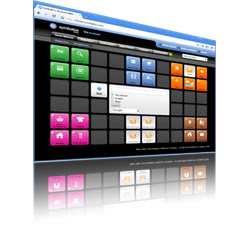 I think this is an amazing idea for my PLN. I went to Symbaloo immediately and set it up for myself. Before watching this video I had never heard of Symbaloo and I was amazed. This seventh grader had organized her personal stuff from her school work, and even had a place to organize her notes. I can not wait to start filling up my PLN.

In Wendy Drexler's video she depicts a true story of a high-school student applying networked learning in the 21st century. The teacher rarely has a lecture, and the class only meets about three times a week with two days online. The student is essentially teaching his or her self the material, while the teacher is there for guidance, questions, and teaching the skills needed to find accurate information. This video shows some of the many resources available for students and teachers to use in this setting.
I learned a lot from this video. I agree that teachers should be moving towards teaching these skills versus teaching the information. Students can learn how to find educational material through technology on their own. It just requires practice and the guidance of their teacher. This will allow them to learn the course material as well as learn skills to allow their learning to continue.
I am already impressed by the tools I have learned through using my blog this early in the semester. I could not imagine having multiple classes that utilized these tools. It would be absolutely wonderful! Students would learn skills that will be useful throughout college, their career, and life. They would still be able to learn the course material, but in most cases students would learn even more than they would have from a section in a text book. I hope to utilize these tools in my future classroom. I plan to teach younger elementary students and I would not be able to go as far as the high-school students did, but we could definitely learn skills to lead up to this.
A 7th Grade Student's Personal Learning Environment

Sunday, February 17, 2013
Blog Post #5
Venspired
Krissy Venosdale is a gifted education teacher in the elementary and intermediate schools. She has a very colorful and inviting educational blog called Venspired. Mrs. Venosdale is very passionate about learning, and making everyone feel like they are apart of the experience. On Venspired Mrs. Venosdale provides teachers with resources, posters, and fun classroom ideas!
In Mrs. Venosdale's blog post If I Built A School she describes what her dream school would be if she were given the chance. Her dream school is filled with vibrant colors, a huge fish tank, and a comfy cafeteria. She would have laptops, iPads, cell phones, and more. Students and learning would be the focus, not tests and homework. She truly has an amazing imagination!
 My dream school may not be as creative as Mrs. Venosdale, but I have a few ideas. First I would want the student's work to be the decorations through out the school. I want some framed on walls, some on bulletin boards, some hanging from the ceiling or where ever possible. I just feel that it is so important to show students that we appreciate their creativity and hard work. I do not want books. I would have an iPad for every student to use for books, and work in the classroom. I agree with Mrs. Venosdale about not having grade levels. I would prefer to have phases that students would have to complete. Phases that are not based on age or tests of memorized knowledge. I would want lots of teachers who shared my same passion for continuing to learn. I know that I will never stop learning and I want teachers who can accept this also. I do not want extremely large classrooms because I believe its hard to provide individual help to students who may need it. I want the cafeteria to provide healthy well balanced meals, and to look like a kids cafe. I want to have an art studio, and a computer lab that would be open to students after school as well. Most of all I want students to enjoy learning.
Eric Whitacre's Virtual Choir
In this video Eric Whitacre forms a virtual choir from individuals around the world whom have never met. It was absolutely breathtaking. I was beyond shocked at how amazing this virtual choir sounded. I had no idea it was possible. My first reaction was, I have to share this video. I am really speechless at how beautiful this video sounded coming from a totally virtual choir.
Teaching in the 21st Century
In this video Kevin Roberts shows that teaching in the 21st century SHOULD be different than teaching in the past. He asks what you would do if asked a simple question like: "how do I fix my car?" Well my first answer was I would just grab my phone and use the search engine, such as Google. That was Mr. Roberts point exactly. In the 21st century we can access so much knowledge at the click of a mouse, or the touch of a screen. Mr. Roberts brings up the question that, if we can access this much knowledge, should we be teaching the knowledge or how to really use these resources to teach ourselves. I believe we should be teaching the skills used to decipher information online, and how these tools can be used for our benefit. Technology is always changing and teaching the skills versus just the information benefits the students and the teachers. I also love that he explained the difference between "engage" and "entertain". Engage pertains to learning and is longer lived than entertain. I hope to engage my students with skills that can be used through out their life to continuously teach themselves. This way they will never stop learning.
Flipping the Classroom
Flipping the classroom is a great concept that allows all students to learn at their own pace. The lesson is taught the night before on video at home. This way students can come in already prepared with questions. The teachers moves to the middle of the room to be engaged with the students. This allows students to move ahead if needed, or ask for more help since teachers will not be at the front of the room actually teaching lecture. This approach sounds wonderful. One of the questions were about students who did not have computers, and what would they do. Well schools would offer those students to watch the videos that day before class. There is so much time that is consumed by teaching a long lecture at the front of the room. I feel like this will allow so much more one on one time with the teacher and students, because the students will have watched the lecture the night before.
Krissy Venosdale is a gifted education teacher in the elementary and intermediate schools. She has a very colorful and inviting educational blog called Venspired. Mrs. Venosdale is very passionate about learning, and making everyone feel like they are apart of the experience. On Venspired Mrs. Venosdale provides teachers with resources, posters, and fun classroom ideas!
In Mrs. Venosdale's blog post If I Built A School she describes what her dream school would be if she were given the chance. Her dream school is filled with vibrant colors, a huge fish tank, and a comfy cafeteria. She would have laptops, iPads, cell phones, and more. Students and learning would be the focus, not tests and homework. She truly has an amazing imagination!
 My dream school may not be as creative as Mrs. Venosdale, but I have a few ideas. First I would want the student's work to be the decorations through out the school. I want some framed on walls, some on bulletin boards, some hanging from the ceiling or where ever possible. I just feel that it is so important to show students that we appreciate their creativity and hard work. I do not want books. I would have an iPad for every student to use for books, and work in the classroom. I agree with Mrs. Venosdale about not having grade levels. I would prefer to have phases that students would have to complete. Phases that are not based on age or tests of memorized knowledge. I would want lots of teachers who shared my same passion for continuing to learn. I know that I will never stop learning and I want teachers who can accept this also. I do not want extremely large classrooms because I believe its hard to provide individual help to students who may need it. I want the cafeteria to provide healthy well balanced meals, and to look like a kids cafe. I want to have an art studio, and a computer lab that would be open to students after school as well. Most of all I want students to enjoy learning.
Eric Whitacre's Virtual Choir
In this video Eric Whitacre forms a virtual choir from individuals around the world whom have never met. It was absolutely breathtaking. I was beyond shocked at how amazing this virtual choir sounded. I had no idea it was possible. My first reaction was, I have to share this video. I am really speechless at how beautiful this video sounded coming from a totally virtual choir.
Teaching in the 21st Century
In this video Kevin Roberts shows that teaching in the 21st century SHOULD be different than teaching in the past. He asks what you would do if asked a simple question like: "how do I fix my car?" Well my first answer was I would just grab my phone and use the search engine, such as Google. That was Mr. Roberts point exactly. In the 21st century we can access so much knowledge at the click of a mouse, or the touch of a screen. Mr. Roberts brings up the question that, if we can access this much knowledge, should we be teaching the knowledge or how to really use these resources to teach ourselves. I believe we should be teaching the skills used to decipher information online, and how these tools can be used for our benefit. Technology is always changing and teaching the skills versus just the information benefits the students and the teachers. I also love that he explained the difference between "engage" and "entertain". Engage pertains to learning and is longer lived than entertain. I hope to engage my students with skills that can be used through out their life to continuously teach themselves. This way they will never stop learning.
Flipping the Classroom
Flipping the classroom is a great concept that allows all students to learn at their own pace. The lesson is taught the night before on video at home. This way students can come in already prepared with questions. The teachers moves to the middle of the room to be engaged with the students. This allows students to move ahead if needed, or ask for more help since teachers will not be at the front of the room actually teaching lecture. This approach sounds wonderful. One of the questions were about students who did not have computers, and what would they do. Well schools would offer those students to watch the videos that day before class. There is so much time that is consumed by teaching a long lecture at the front of the room. I feel like this will allow so much more one on one time with the teacher and students, because the students will have watched the lecture the night before.
Saturday, February 16, 2013
Saturday, February 9, 2013
Wednesday, February 6, 2013
C4T #1
Third Grade with Mr. Capps
Comments For Teachers Friday! Clouds, Dog-Races, and ToonDoo
Post by Mr. Capps on January 18, 2013
Mr. Capps's blog post was an assignment for his third grade students to read the article Girl will race dogs in Alaska. After students completed their reading they were asked to answer the critical thinking question at the end of the article. The students were allowed to write their responses in their journals or on a blank sheet of paper. The article is about a very hard working sixteen year old girl, Taylor Steele, who decided to follow her dreams. Taylor is a dog sled racer who was influenced by the movie "Snow Buddies." The article talks about her journey, and her plans to finish school and leave for Alaska. At the end of the article is the critical thinking challenge: "Why are clothing and equipment so expensive? Why doesn’t Taylor get her supplies at Walmart?"
 I commented on Mr. Capps's post by letting him know how much I enjoyed the article and the critical thinking question that followed. I also commented on how I believed his class blog was such a great tool for his students.I loved that this article was a great motivational story with an assignment to better students critical thinking and writing skills.
Science: Earth's Landforms
Post by Mr. Capps on February 5, 2013
This week Mr. Capps's assignment for his students was to explore the links he had provided, choose one link, and write down the main idea with supporting details. The links he provided contained pictures and videos of mountains, valleys, and plains on Earth. He described the pictures on one of the websites as "stunning" and they truly were! To help students decide which topic to choose he added questions before the links such as: "How do plants and trees adapt to live on mountains?" Following the questions student would have a "click here to find out" option.

I explained to Mr. Capps that I was a previous Geology major and that even I learned something new. I told him that this was such and exciting and creative assignment. It allowed students to work on researching and writing skills while learning about the Earth's land-forms. I explained how closely related Geography and Geology are, and that it is interesting to see evidence of Earth's land-forms shifting right here in Alabama!
Comments For Teachers Friday! Clouds, Dog-Races, and ToonDoo
Post by Mr. Capps on January 18, 2013
Mr. Capps's blog post was an assignment for his third grade students to read the article Girl will race dogs in Alaska. After students completed their reading they were asked to answer the critical thinking question at the end of the article. The students were allowed to write their responses in their journals or on a blank sheet of paper. The article is about a very hard working sixteen year old girl, Taylor Steele, who decided to follow her dreams. Taylor is a dog sled racer who was influenced by the movie "Snow Buddies." The article talks about her journey, and her plans to finish school and leave for Alaska. At the end of the article is the critical thinking challenge: "Why are clothing and equipment so expensive? Why doesn’t Taylor get her supplies at Walmart?"

Science: Earth's Landforms
Post by Mr. Capps on February 5, 2013
This week Mr. Capps's assignment for his students was to explore the links he had provided, choose one link, and write down the main idea with supporting details. The links he provided contained pictures and videos of mountains, valleys, and plains on Earth. He described the pictures on one of the websites as "stunning" and they truly were! To help students decide which topic to choose he added questions before the links such as: "How do plants and trees adapt to live on mountains?" Following the questions student would have a "click here to find out" option.

I explained to Mr. Capps that I was a previous Geology major and that even I learned something new. I told him that this was such and exciting and creative assignment. It allowed students to work on researching and writing skills while learning about the Earth's land-forms. I explained how closely related Geography and Geology are, and that it is interesting to see evidence of Earth's land-forms shifting right here in Alabama!
Blog Post #4
Podcasting
Langwitches: 1st Graders Create Their Own Read-Along Audiobook
I was very impressed by these first graders. I loved reading about how enthusiastic they were about recording themselves and creating their own podcast. I am shocked that they are so young but so familiar with this technology. I also believe that because of creating this podcast, these students could tell you anything you need to know about their dinosaur book. They read scripts again and again, and then listened to their final product. I even listened to most of "Dinosaurs in the Dark" myself. It was enjoyable to listen to the students read aloud with their sound effects! This blog post gives step by step instructions on how to upload this podcast for students to use at home, and even in other classrooms. This will be useful to me for my podcast as well as in the future.
Langwitches: Listening-Comprehension-Podcasting
In this blog post Ms. Tolisano's second graders recorded their story Purim as a podcast but not in English. This podcast was
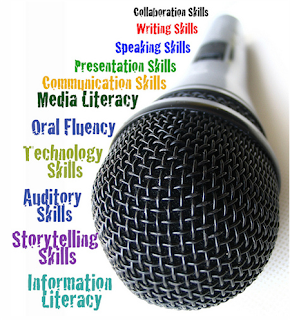 very unique. It was recorded in Hebrew, and the sentences were purposefully recorded in the wrong order. The students then had to put the sentences in the correct order. They were able to move the scripts around on the SmartBoard which I thought was amazing. I had no idea that the entire class could edit a podcast on the SmartBoard. The main purpose of their lesson was to learn to collaborate, script writing, listening, speaking skills, and fluency of the language. I learned from this post that creating a podcast can be a great way to develop many life skills. In creating my podcast I will be sure to focus on my speaking skills, and developing cooperation skills with my group.
Langwitches: Podcasting with First Grade
This was another outstanding post about podcasting with elementary students! In this post Ms. Tolisano's first graders read a story and made a script asking and answering questions about the journey in the story. One of the things I love about the idea of podcasting with elementary students is that they would want to hear the story again and again. I was right with my prediction because in her post she said afterwards they had listened to the podcast over 20 times. This way students are learning many life skills as well as the material and do not even realize they are learning. Some of the skills she mentioned that were addressed in this project were: listening, speaking, comprehension, storytelling, and technology. It is amazing that students can obtain all of these skills in one collaborative project that they enjoy so much. I look forward to using these resources in my future classroom. I think its exciting that through the use of technology students are able to learn so much more than just information in a textbook.
Langwitches: 1st Graders Create Their Own Read-Along Audiobook
I was very impressed by these first graders. I loved reading about how enthusiastic they were about recording themselves and creating their own podcast. I am shocked that they are so young but so familiar with this technology. I also believe that because of creating this podcast, these students could tell you anything you need to know about their dinosaur book. They read scripts again and again, and then listened to their final product. I even listened to most of "Dinosaurs in the Dark" myself. It was enjoyable to listen to the students read aloud with their sound effects! This blog post gives step by step instructions on how to upload this podcast for students to use at home, and even in other classrooms. This will be useful to me for my podcast as well as in the future.
Langwitches: Listening-Comprehension-Podcasting
In this blog post Ms. Tolisano's second graders recorded their story Purim as a podcast but not in English. This podcast was

Langwitches: Podcasting with First Grade
This was another outstanding post about podcasting with elementary students! In this post Ms. Tolisano's first graders read a story and made a script asking and answering questions about the journey in the story. One of the things I love about the idea of podcasting with elementary students is that they would want to hear the story again and again. I was right with my prediction because in her post she said afterwards they had listened to the podcast over 20 times. This way students are learning many life skills as well as the material and do not even realize they are learning. Some of the skills she mentioned that were addressed in this project were: listening, speaking, comprehension, storytelling, and technology. It is amazing that students can obtain all of these skills in one collaborative project that they enjoy so much. I look forward to using these resources in my future classroom. I think its exciting that through the use of technology students are able to learn so much more than just information in a textbook.
Tuesday, February 5, 2013
Special Blog Post #1
WolframAlpha
This is the first time I have used this search engine and I love it. The WolframAlpha is an amazing way to find out facts for educational purposes or even fun random facts. The data from WolframAlpha is provided in such an organized and direct manner that it would be wonderful for using it in the classroom. The search engine could be used for many different purposes. I used it to compare populations in different countries and states, but in an elementary classroom the questions and possibilities could be endless!
After comparing the populations of India, China, and the United States I found the the populations of India and China are more than three times the size of the United States. These are my results:
India: 1.21 Billion
China: 1.35 Billion
United States: 309 Million
I also did two more comparative searches:
Population of Mobile, AL: 195,111
Population of New York City, New York: 8.175 Million
Number of people in the United States Army: 512,000
Number of people in the United States Marine Corps: 190,000
The Count
Gary Hayes Social Media Count is a count of things bought,
 tweeted, posted, uploaded, sold and much much more in the media world. It is unbelievable how fast the numbers move
constantly. The ipads sold "now" really caught my attention. There were about one iPad sold per second during the time that I was watching. I feel like that means that by the time I am teaching in my own classroom, most students will have access to at least one iPad in their home. Then hopefully the next step would to have them in most classrooms.
tweeted, posted, uploaded, sold and much much more in the media world. It is unbelievable how fast the numbers move
constantly. The ipads sold "now" really caught my attention. There were about one iPad sold per second during the time that I was watching. I feel like that means that by the time I am teaching in my own classroom, most students will have access to at least one iPad in their home. Then hopefully the next step would to have them in most classrooms.
The most shocking part to me was the heritage tab. It was interesting to see how much money is exchanged due to music and movies. Music is especially important for me. It gets me going on a run, puts me in a good mood when I'm sad, and calms me down I need it! It is sad to see how much is lost through our generation stealing music and movies. The numbers for film piracy in the United States were going up at almost $1,000 per second! Hopefully our young students can learn the importance of being honest and paying for the music and moves they download.
This is the first time I have used this search engine and I love it. The WolframAlpha is an amazing way to find out facts for educational purposes or even fun random facts. The data from WolframAlpha is provided in such an organized and direct manner that it would be wonderful for using it in the classroom. The search engine could be used for many different purposes. I used it to compare populations in different countries and states, but in an elementary classroom the questions and possibilities could be endless!
After comparing the populations of India, China, and the United States I found the the populations of India and China are more than three times the size of the United States. These are my results:
India: 1.21 Billion
China: 1.35 Billion
United States: 309 Million
I also did two more comparative searches:
Population of Mobile, AL: 195,111
Population of New York City, New York: 8.175 Million
Number of people in the United States Army: 512,000
Number of people in the United States Marine Corps: 190,000
The Count
Gary Hayes Social Media Count is a count of things bought,

The most shocking part to me was the heritage tab. It was interesting to see how much money is exchanged due to music and movies. Music is especially important for me. It gets me going on a run, puts me in a good mood when I'm sad, and calms me down I need it! It is sad to see how much is lost through our generation stealing music and movies. The numbers for film piracy in the United States were going up at almost $1,000 per second! Hopefully our young students can learn the importance of being honest and paying for the music and moves they download.
Sunday, February 3, 2013
Blog Post #3
Peer Editing
 I found that this assignment was extremely helpful. After reading my peer's blog posts I was worried about how I should respond. I want to help someone when I see mistakes, but I also do not want to embarrass anyone. I decided to send my review by e-mail because I felt I could be more personal and helpful that way. I definitely make mistakes and I value the lessons I have learned form them. The video What is Peer Editing had wonderful tips on peer editing and making sure you stay positive. The video explains that you should also compliment good work as well as point out the mistakes. In the Peer Edit With Perfection Tutorial I learned that giving suggestions on specific mistakes is more effective than broad or more general suggestions.
As a peer editor I never want to seem mean or like a "know it all." In the video Writing Peer Review Top 10 Mistakes students demonstrate examples of bad peer reviews. The video was quite funny and pretty catchy. In the future I will never be a Defensive Dave or a Mean Margaret. This video will be a great tool to use in my future classrooms. This assignment helped me be a better editor and take criticism personally. Everyone makes mistakes and I will be grateful for anyone who has suggestions for me.
The Mountbatten
The Mountbatten Braille Writer is an advanced device that is used to provide immediate audio and tactile feedback to blind students. I learned that when a student brailles on the machine it types what is brailled as well as provides audio reassurance. If a student is using this machine and his or her teacher nor classmates understand braille they can look at the screen where the braille is converted to print. I think this technology would be a tremendous help in the classroom to make sure blind students are included in the lesson. It would also be a great experience for other students to be exposed to braille, and learn about the technology used to help blind students.
Teaching Math to the Blind
This video presents some of the issues that are associated with blind students using braille in math. I had no idea that when students are given a math problem in braille the numbers are presented in one single line. Professor Karshmer has provided a way for students to place tiles with braille onto a grid with audio. I believe this grid is wonderful for blind students to be able to breakdown a math problem.
iPad Usage for the Blind
The iPad is an amazing tool for blind students. I was shocked at how easy it is to navigate. I did feel that the voice on the iPad spoke a little fast, and that may require a little getting used to. I love that it allows students to independently listen to books, surf the web, write papers, and much more. I think it would only take students a little practice and then they should be able to master navigating the iPad. I believe it is important for students to feel as if they are apart of the class so they are not discouraged. With the iPad, vision impaired students would be able to do the same assignments as the rest of the class.
Harness Your Students' Digital Smarts
Vicki Davis uses technology in the classroom to help students teach themselves. Her students participate in blogs, class wikis, and all different types of media tools. Vicki explains that she does not need to master a topic before she teaches it. Sometimes her students show her new tools, and ways of doing things. This helps her be more hands on in the classroom, as well as her students be more independent.
I love that Vicki has her students write blogs with students around the world. It is fascinating to me to be able to connect with other students and classrooms. It allows us to learn about different cultures, environments, or talk about global issues. With their experiences in Vicki Davis's classroom students will be well prepared for college and new technologies in the near future. I hope to incorporate some of these tools into my future classrooms.

As a peer editor I never want to seem mean or like a "know it all." In the video Writing Peer Review Top 10 Mistakes students demonstrate examples of bad peer reviews. The video was quite funny and pretty catchy. In the future I will never be a Defensive Dave or a Mean Margaret. This video will be a great tool to use in my future classrooms. This assignment helped me be a better editor and take criticism personally. Everyone makes mistakes and I will be grateful for anyone who has suggestions for me.
The Mountbatten
The Mountbatten Braille Writer is an advanced device that is used to provide immediate audio and tactile feedback to blind students. I learned that when a student brailles on the machine it types what is brailled as well as provides audio reassurance. If a student is using this machine and his or her teacher nor classmates understand braille they can look at the screen where the braille is converted to print. I think this technology would be a tremendous help in the classroom to make sure blind students are included in the lesson. It would also be a great experience for other students to be exposed to braille, and learn about the technology used to help blind students.
Teaching Math to the Blind
This video presents some of the issues that are associated with blind students using braille in math. I had no idea that when students are given a math problem in braille the numbers are presented in one single line. Professor Karshmer has provided a way for students to place tiles with braille onto a grid with audio. I believe this grid is wonderful for blind students to be able to breakdown a math problem.
iPad Usage for the Blind
The iPad is an amazing tool for blind students. I was shocked at how easy it is to navigate. I did feel that the voice on the iPad spoke a little fast, and that may require a little getting used to. I love that it allows students to independently listen to books, surf the web, write papers, and much more. I think it would only take students a little practice and then they should be able to master navigating the iPad. I believe it is important for students to feel as if they are apart of the class so they are not discouraged. With the iPad, vision impaired students would be able to do the same assignments as the rest of the class.
Harness Your Students' Digital Smarts
Vicki Davis uses technology in the classroom to help students teach themselves. Her students participate in blogs, class wikis, and all different types of media tools. Vicki explains that she does not need to master a topic before she teaches it. Sometimes her students show her new tools, and ways of doing things. This helps her be more hands on in the classroom, as well as her students be more independent.
I love that Vicki has her students write blogs with students around the world. It is fascinating to me to be able to connect with other students and classrooms. It allows us to learn about different cultures, environments, or talk about global issues. With their experiences in Vicki Davis's classroom students will be well prepared for college and new technologies in the near future. I hope to incorporate some of these tools into my future classrooms.
Subscribe to:
Posts (Atom)